How do every-other-week patterns work?
Last updated August 4, 2026
An every-other-week shift belongs to one of two alternating weeks, and it stays in its own week forever. In Rebuild desk rotation, each every-other-week row is labeled with concrete dates, like Weeks of Aug 2, so you always know which weeks a row means.
Two week groups that never mix
Weeks alternate between two groups. Say Maya works Saturdays every other week starting Aug 8. Her row covers Aug 8, Aug 22, Sep 5, and so on. The other group's Saturdays, Aug 15 and Aug 29, are simply not hers. A different person can have their own every-other-week row on those Saturdays, and the two never collide, because they are never in the building in the same week.
That is why one desk can show several rows for the same time: an every-week row, a Weeks of Aug 2 row, and a Weeks of Aug 9 row are three different things, not three copies.
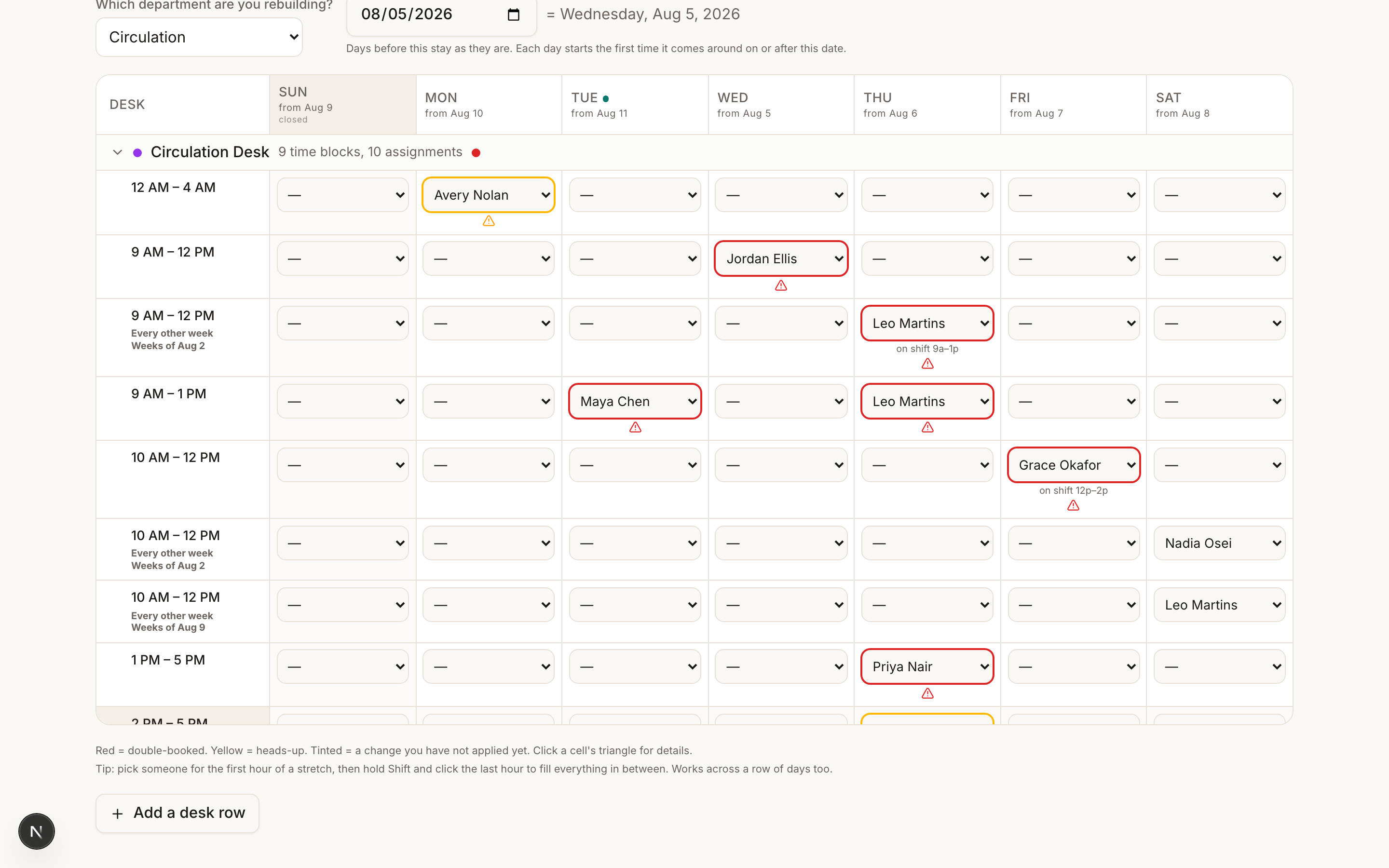
Start dates land on the right week by themselves
When you edit an every-other-week cell, the change begins on that row's first covered day on or after your start date. You do not have to pick a date in the right week. If your start date falls in the row's off week, the change simply starts one week later, on the row's next real day.
Warnings respect the weeks
The warnings panel only compares things that can actually happen in the same week. A one-off shift or a single day of time off in the other group's week will never warn against an every-other-week row, because they can never meet. So a quiet panel next to an every-other-week row is usually correct, not broken.
The one common problem is the same schedule recorded twice, once every week and once every other week. Those two do share weeks, so they collide, and the panel folds it into a single "recorded twice" card. See What do the warnings in Rebuild desk rotation mean? for what to do with it.
Tip
The row labels are always real dates, never "week A" and "week B". If you are unsure which week a row covers, read its label and check the day columns' dates in the grid header.