What is the Today board?
Last updated September 18, 2026
Today is the board you'll keep open at the desk. It answers the daily questions — who's on, who's out, and is everything covered — without scrolling the full schedule.
It has three parts:
- A timeline of your service points, showing who's assigned across the day with a live "now" line. Its edit icon opens Day view for a quick drag-and-drop change without leaving Today.
- Working today — the roster on shift, with a dot for on now, later today, or done.
- Out today — anyone on approved time off.
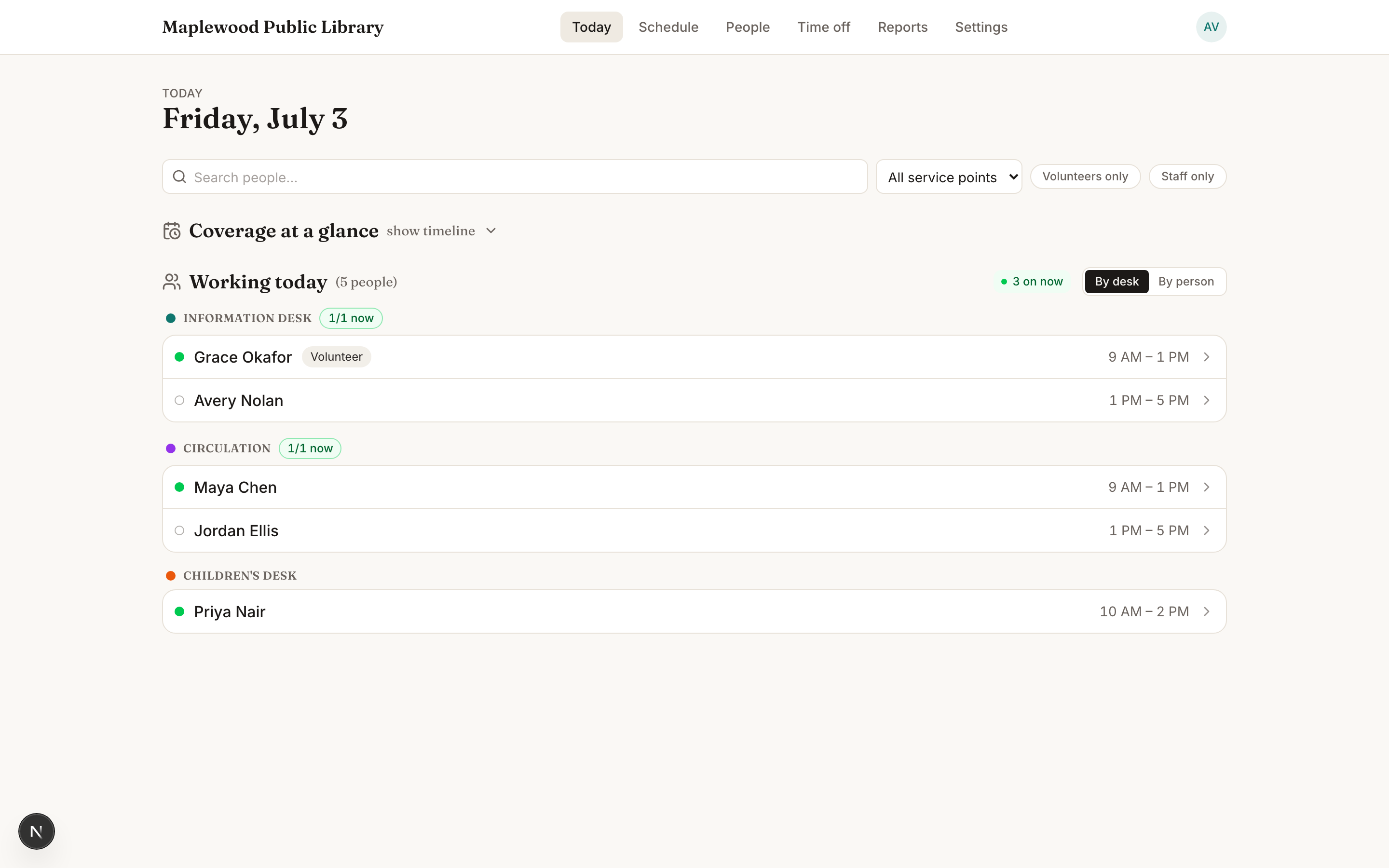
- Open Today (it's where you land after signing in).
- Filter by name, desk, or department to narrow the view.
- Watch the coverage chips to confirm each desk has enough people during open hours.
Grouping the roster
Working today doesn't have to sort by desk. Switch its grouping tab to whichever answers the question you actually have:
- By desk — who's where, the default.
- By person — one row per person, their desks for the day underneath.
- Alphabetical — fastest when you're hunting for one specific name.
- Arrival — sorted by who's showing up next, handy for a busy opening.
- Department — grouped by team, useful in a library with several departments sharing the board.

Note
If you've scheduled shifts but nothing's coming up soon, Today shows a gentle runway banner so a quiet week doesn't sneak up on you.
Working across locations
With multiple active locations, use Work branches to focus the board. Click a location heading to collapse it, or use Expand all and Collapse all. Counts, coverage summaries, and closure notices stay visible, and your collapsed sections are remembered in this browser. See working with multiple locations for screenshots and saved-view options.